How to contribute in GSSoC and get the most out of it?🚀
 Rajdeep Sengupta
Published on : Aug 06, 2023
The Story
Recently, I have been selected as a GSSoC Contributor '22 and posted that on LinkedIn. And I am shocked to see that the amount of people doesn't know what to do and where to start. And also saw a lot of them who know the initial steps to contribute and do it in the worst way possible.🙅♂️
So, in this blog, I will try to explain what to do and how to do and how you can make the most of it in terms of learning and making connections. And read till the end to get the bonus point, yes the most important point of this blog.⭐
What are your goals in this program?🚀
If getting a certificate, swags or the cash prize is your main goal then I would say that readjust your goals and focus more on learning and making connections because in the long term the connections you make and what you learn will stay with you not the certificate or the swag.
Let's with how to get started with contribution.
Find your Project
Go to GSSoC official page and move to the projects tab. Here is a link to that. Link➡️
Select your stack, like JavaScript, HTML, or CSS. Search through the 100 projects listed there open the GitHub repository and see their code once, don't just to the issue tab directly.👇
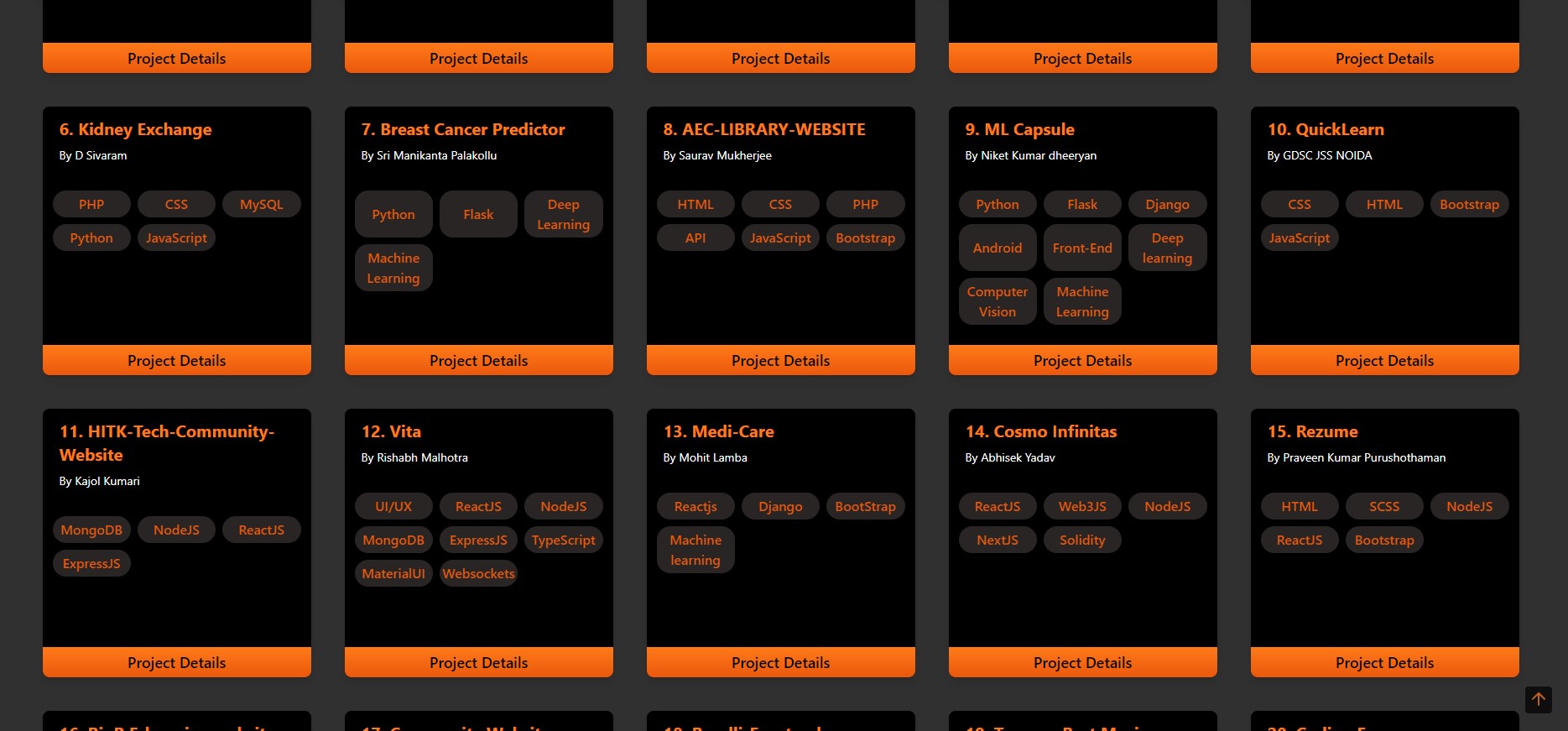
Take your time and pick 2-3 repositories where you know the tech stack and can contribute. Don't just go and spam in every issue of every repository, like: "Can I work on this issue?". I see a lot of people doing that, please don't do that.
Finding the first Issue. 🚀
After you select your repository go and find easy **level-1 ** or good first issue which you think you can solve. Like this one.👇

Comment there that you would like to work on that issue and explain a bit about how you will solve the problem or implement the new feature. It will help the project admin and the mentor to feel confident that you can solve the issue and also you will be able to stand out of the crowd.😜
What if all the issues you can do are assigned?
In that case, you can ask the mentor or the project admin to allow you to collaborate with the person already assigned. If he/she agrees just collaborate together. collaborating with an unknown person will boost your learning in many ways.
Or you can simply use their app and find genuine bugs in that. If you find one then raise an issue by your self clicking the New issue button.👇
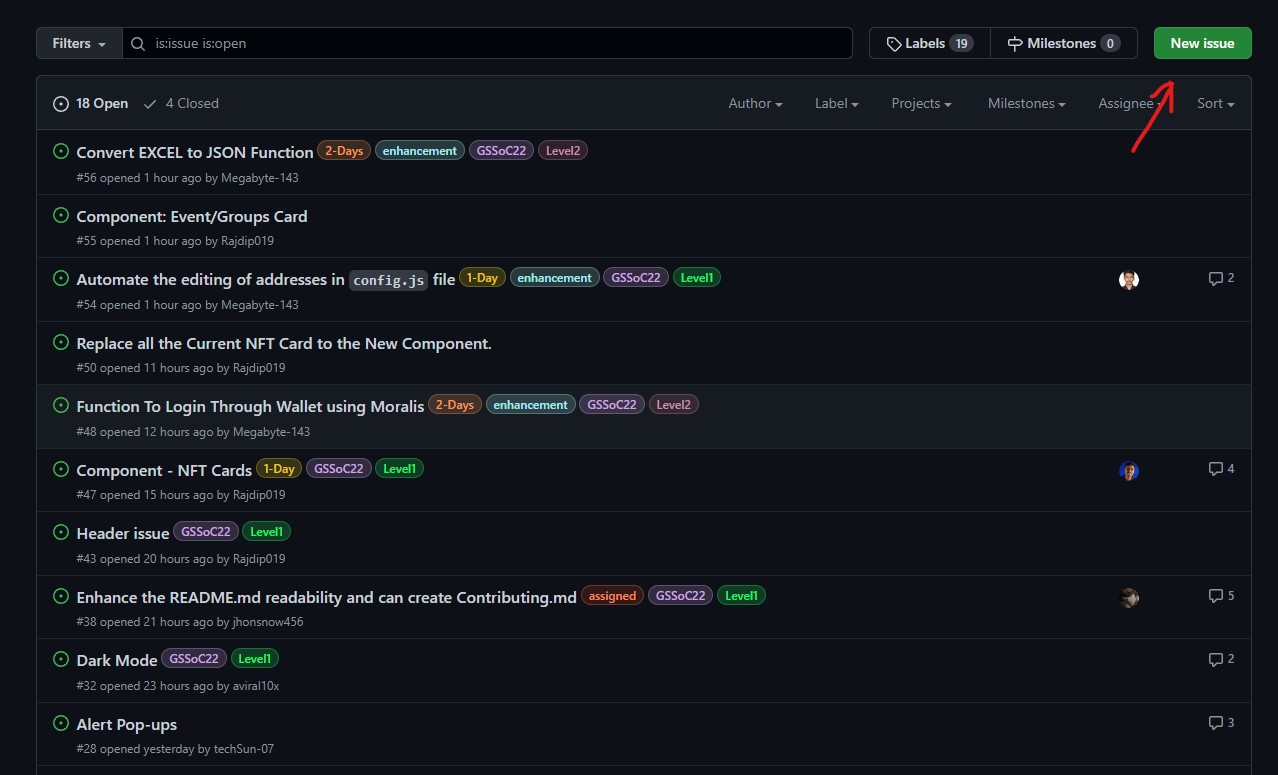
And tell the project admin and mentor that you will love to work on that issue.
And yeah you got your first issue to work on!
Setting up the system in your local system.
I am not going to guide you through how you can clone and run a program in your local system, there is a lot of tutorial on that already.
But what happens if you face an error while setting up the project in your local system?
You can just take a screenshot of the error and share them in the specific discord channel of the project and tag the project admin or Mentor.
How to identify a mentor and project admin in Discord?
Mentors have a | M | <Project Name> after their name and Admin have | PA | <Project Name> after their name.
They will solve the issue by chatting or using the voice channel of the specific project.
And after you all set up go and do your job and make a PR. And YAY you have done your first contribution to GSSoC.
Bonus/Important Points.
Don't spam in every issue of every project. Take a project and contribute to that project for the long term.
How it's gonna help? 👇⭐
- You will be a proper part of building something.
- You will have a good connection with the project mentor and admin. And you will be easily assigned to issues.
- By working with a codebase for a good amount of time you will find much more issues in the code that no one other will find out and you can raise the issues and work on them.
- Eventually, you will learn a lot more by not hopping around from project to project.
- You will learn to work in a team.
So, this is the end. Please share this as much as possible and help each other.